


B9: Cash Advance
4.67.46K Reviews
App Specs
- Version
- 3.71.0
- Updated On
- License
- Free
- Downloads
- 1,000,000+
- Developer
- B9 - Get Your Paycheck Early
- Categories
- Finance
- Platform
- Android, iOS
Screenshots
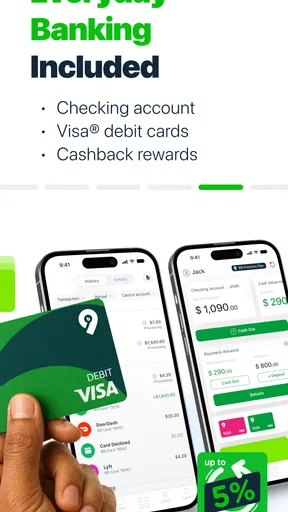
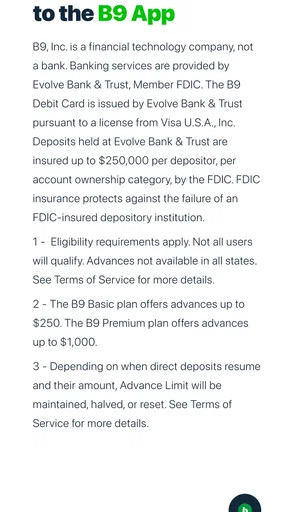
 Analysis by AppCompare
Getting access to money before payday sounds simple, but the experience depends heavily on how well an app fits your personal cash flow and account setup. I spent time looking at B9: Cash Advance as a finance app, focusing less on the promise of speed and more on the moments where a real user may hesitate, get stuck, or misunderstand what is happening. My overall impression is that it can be useful for a short-term gap, but it works best when treated as a carefully planned bridge rather than extra income.
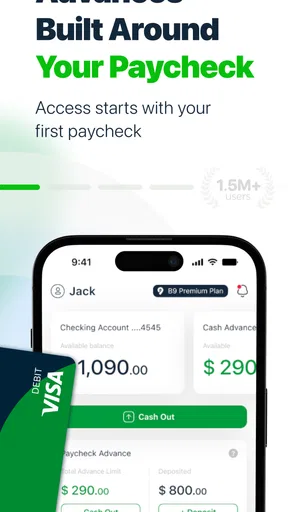
The app is developed by B9 - Get Your Paycheck Early and is free to install. Its purpose is straightforward: help eligible users request an advance against an expected paycheck before the normal payday arrives. That makes it different from a budgeting app, a savings tool, or a conventional personal loan app. It is built around timing. If your problem is that your income arrives later than a bill or essential purchase, that focus may be valuable. If your problem is that your monthly spending is consistently higher than your income, an advance only moves the pressure forward.
Where the experience usually becomes difficult
I find the hardest moments are usually the ones where urgency encourages guesswork: estimating when income will arrive, requesting more than the immediate expense requires, or assuming a pending transfer is ready to spend. I would slow down and check each step against the actual bill and the next pay period, rather than trying the same request repeatedly. That practical discipline also helps clarify which parts of the experience are manageable and where the trade-offs deserve a closer look.
The first hurdle is understanding what the app can actually solve
When I first approach an early-pay app, I do not begin by assuming that approval means unlimited flexibility. The important question is whether the money is connected to a predictable paycheck and whether taking it early will leave enough for the next pay cycle. B9 is most sensible in a narrow situation: an ordinary income payment is expected, but a necessary expense arrives first. A utility bill, a transport cost, or an urgent household purchase can fit that pattern better than discretionary shopping.
The distinction matters because an advance is not the same thing as a permanent increase in available money. If I use one to cover a gap and then need another advance to cover the reduced balance later, the workflow can become stressful. I would therefore decide the repayment plan before requesting anything. Writing down the expected paycheck, the immediate expense, and the amount that must remain for food, travel, and other essentials is a simple but important safeguard.
Account connection and identity details can create friction
Finance apps commonly need accurate personal and banking information to determine whether a user can access their services. That means a setup problem may look like an app problem even when the underlying issue is an incomplete profile, inconsistent information, or an account that does not match the expected income pattern. I would enter details slowly and check spelling, account ownership, and the destination for any transfer before moving ahead.
This is also where expectations should stay realistic. A free download does not automatically mean every financial action has no conditions. I would read each screen that explains timing, eligibility, repayment, or any possible cost instead of tapping through quickly. The most useful habit is to pause whenever the app asks me to confirm something connected to my paycheck. A few seconds spent checking the details is preferable to discovering later that the request was directed to the wrong account or based on an incorrect date.
Worth Reading Before You Choose

EA SPORTS FC Mobile 26 Is a Bigger Football Game, but It Takes Time

Flipboard Shows What News Apps Must Do Beyond the Feed

Switching to Android Auto Means Rethinking Your Driving Routine

Google Calendar Makes a Crowded Week Easier to Manage

Ludo King Makes the Most of the Minutes Between Plans

Baby Panda World Brings Quick Play to Modern Phones, but Its Game Library Feels Busy
Notifications and timing deserve more attention than they usually get
Early access to income is a timing service, so a user should not plan an essential payment around an assumption that money will appear at a particular moment unless the app clearly confirms it. Bank processing, weekends, holidays, account verification, and payroll timing can all affect the practical result. I would keep a backup plan for a bill that cannot be delayed, especially the first time I use the service.
A useful personal workflow is to treat the app as one part of a payment plan rather than the whole plan. Before requesting an advance, I would confirm the bill’s due date, check the current account balance, and leave room for ordinary spending. After requesting it, I would look for confirmation inside the app and keep an eye on the relevant bank account. This approach reduces the chance of spending money twice because a transfer was expected but had not yet settled.
Why a request may not move forward immediately
If a request does not progress, repeatedly pressing the same button is rarely the best first response. I would return to the account information, check whether every required step is complete, and make sure the connected banking details are still current. I would also check whether the expected paycheck information is consistent with what I entered. Small mismatches can matter more in a finance workflow than they would in a casual shopping app.
Another practical point is to avoid changing several details at once while trying to troubleshoot. If I edit my personal information, switch accounts, and submit a new request repeatedly, it becomes harder to know which change helped or caused another review. A calmer sequence works better: verify the profile, confirm the bank connection, review the request terms, and then try again only when the information is accurate.
Setup checks that make the first use smoother
I would prepare a few things before opening the app for the first time:
- Use matching information across the app and the account connected to receive income.
- Have the expected paycheck timing in mind instead of guessing from memory.
- Check that the receiving account is the one I actually intend to use.
- Keep enough money aside for essential expenses after the advance is handled.
- Read confirmation screens completely, particularly anything about repayment or timing.
These checks are not exciting, but they address the most avoidable forms of friction. In my experience, financial tools reward accuracy more than speed. A rushed setup can result in a confusing delay, while a careful setup gives me a clearer idea of what the app is asking me to do and what will happen next.
How I would use it for a realistic everyday gap
Imagine that my paycheck is due later in the week, but a necessary car repair or grocery purchase cannot wait. I would first calculate the minimum amount needed, rather than requesting a round number simply because it is available. Then I would compare that amount with the paycheck I expect and the expenses that will arrive immediately afterward. If the advance would leave the next pay period too tight, I would look for another solution, such as delaying a nonessential purchase or contacting the bill provider.
If the numbers still make sense, I would submit the request and avoid treating the money as spare cash. I would reserve it for the original expense, record the amount in my budget, and adjust the rest of the week’s spending. This is one of the less obvious strengths of an early-pay product: it can be useful when the user already has a plan. It is much less helpful when the user is hoping the app will create a plan for them.
Recovering when the workflow appears stuck
When something looks stalled, I would work through the problem in a fixed order. First, I would close and reopen the app, then check whether the account information and expected income details are correct. Next, I would review any message or status shown in the request area rather than starting a duplicate request. Duplicate attempts can make a simple delay harder to understand and may encourage me to count money that has not actually arrived.
If the issue concerns the bank account, I would verify the account directly through my normal banking access as well. That helps separate an app display issue from a genuine account or transaction issue. If the problem concerns a paycheck, I would compare the information in B9 with the information available from my employer or payroll provider. I would not assume that a delayed paycheck means the app has failed, because the source of the income may itself be late or changed.
For a financial request, screenshots and notes can also be useful when seeking support. I would record the date of the attempt, the screen where the process stopped, and any message displayed, while avoiding sharing sensitive information publicly. Clear details make it easier to explain the problem without repeatedly submitting new requests. The safest general rule is simple: do not spend or promise money until the app and the bank both show that it is available.
When the app is not the cause
Not every delay comes from B9. A payroll change, a bank maintenance period, an incorrect employer record, or a temporary issue with the receiving account can produce similar symptoms. This is why I would compare the app’s status with the actual bank balance and the expected paycheck date. If the bank has not received the underlying income, an early-pay service may not be able to resolve that problem.
There is also a difference between an app being unavailable and a user not meeting the conditions for a particular request. The two situations can feel identical from the outside, especially when the user is in a hurry. I would read the wording carefully and avoid interpreting a general message as a promise that another attempt will immediately work. That mindset prevents wasted time and keeps the decision focused on whether the expense can safely be covered.
Security is another reason to stay methodical. I would use only the official app source, protect login information, and avoid sending account credentials through messages or social networks. If someone asks for sensitive details in exchange for speeding up a request, I would treat that as suspicious. A legitimate financial workflow should not require me to expose private banking information to an unrelated person.
What the app does better than familiar alternatives
Compared with a standard budgeting app, B9 addresses a specific cash-flow moment instead of helping me categorize spending or build a long-term plan. That makes it more immediately relevant when the issue is the gap between earning and receiving money. A budgeting tool is better for identifying recurring overspending, but it cannot by itself move expected income earlier.
Compared with a credit card, an early-pay app may feel more directly connected to wages rather than revolving credit. However, a credit card can be more flexible for purchases and may offer a clearer payment schedule for some users. The trade-off is that credit can encourage balances to remain open and grow, while an advance brings the next paycheck into the present. Neither option is automatically safer; the right choice depends on whether I can repay without creating another shortfall.
Compared with asking family or friends for help, B9 offers a more private and structured route, which some users may prefer. On the other hand, a trusted person may be able to help with a genuine emergency without the same account setup or timing concerns. Compared with a traditional loan, an early-pay service is aimed at a smaller, shorter cash-flow need rather than a large planned purchase. For a major expense, I would look at alternatives designed for that purpose instead of forcing a paycheck advance to carry too much weight.
Who should think twice before using it
I would be cautious if my income is irregular, my next paycheck is uncertain, or I already rely on advances to make it through each pay period. I would also hesitate if I cannot explain exactly how the next paycheck will cover the advance and the bills that follow. In those situations, the app may provide temporary relief while making the underlying budget problem more difficult to see.
It may also be the wrong choice for someone who wants a full financial dashboard, detailed spending analysis, savings goals, or debt-management guidance. B9 is focused on early access to pay, not on replacing an entire personal finance system. I would pair it with a separate budget if I needed a broader view, while making sure the advance itself is included in that budget.
What I noticed about trust and scale
The app has a 4.6 average from around eighteen thousand ratings, with roughly seven thousand four hundred written reviews, and it has passed one million installs. Those figures suggest that many people have tried it and that the overall reception is strong. I still would not treat popularity as proof that every request will suit every user. Finance experiences vary greatly depending on income timing, bank arrangements, and personal circumstances.
B9 is marked for Everyone and is available at no charge to install. It was released on August 3, 2021, and the current version is 3.70.0 for devices running Android 8.0 or later. That information is useful when checking whether an older phone can run it, but compatibility is only the first step. A supported device does not guarantee that a particular financial situation will fit the service’s workflow.
My practical verdict
After looking at the app through the lens of real use rather than its short store message, I see B9 as a focused tool for a specific problem: an eligible user needs access to expected pay before the normal payday and has a clear plan for the following balance. Its strongest quality is that it targets timing directly. For someone facing a one-off gap between an essential expense and a predictable paycheck, that can be genuinely helpful.
My main reservation is behavioral, not cosmetic. The convenience can make it tempting to solve repeated shortages with repeated advances. I would only use it after checking the next pay period in full, including rent, food, transport, subscriptions, and any automatic payments. I would also keep a backup plan for urgent bills and avoid counting an advance until the transfer is confirmed.
My recommendation is to use B9 as a controlled cash-flow bridge, not as a replacement for a sustainable budget. If your income is dependable and the need is temporary, it is worth considering. If your finances are already running short every month, a budgeting review, a conversation with creditors, or a more suitable long-term financial option will probably help more. That distinction is what makes the app useful for the right person and risky for the wrong situation.
Pros
- Fast access to small cash advances after approval
- No traditional credit check is typically required
- Clear repayment date shown before accepting an advance
- Useful budgeting tools help track upcoming bills
- Available through a simple
- mobile-first application
Cons
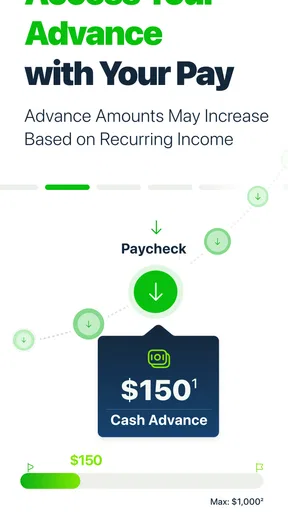
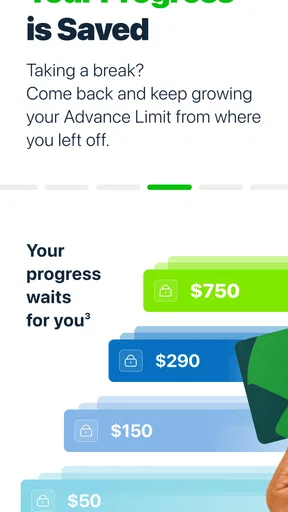
- Advance limits may start low and increase gradually
- Express funding can involve additional fees
- Repayment is usually withdrawn automatically from your account
- Eligibility and features may vary by state
- Late repayment could affect future access to advances
FAQs for B9: Cash Advance
What is B9: Cash Advance, and how does it work?
B9: Cash Advance is a financial app designed to help eligible users access part of their expected income before payday. After creating an account and completing identity and income verification, you may be able to request an advance based on the information available to B9. Approval, advance limits, delivery speed, and account features can vary by user. It is not a guaranteed loan or a replacement for regular budgeting.
Does B9 charge fees or require a subscription?
Before downloading or requesting an advance, review B9’s current pricing carefully because costs may depend on the plan, transfer method, and optional features you select. Some services may involve a membership or subscription fee, while expedited transfers or other transactions could have separate charges. The exact terms can change, so check the in-app fee disclosure and agreement before confirming enrollment or accepting an advance.
How much money can I receive through B9: Cash Advance?
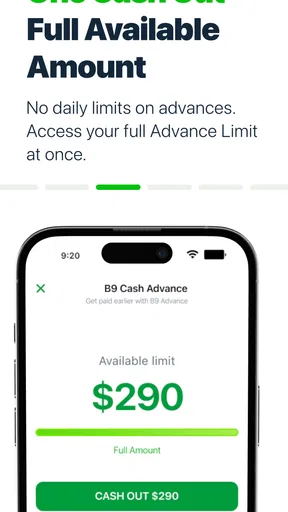
The amount available through B9 is determined individually rather than being the same for every customer. Factors may include verified income, employment information, account history, repayment behavior, and other eligibility checks. New users may initially receive a smaller limit, which could change over time. The app should display your available amount and repayment details before you accept an advance.
How quickly does B9 deliver a cash advance, and how is repayment handled?
Delivery time depends on the transfer option you choose, your bank, verification status, and whether the request is approved during processing hours. Standard transfers may take longer, while faster delivery may involve an additional fee. Repayment is generally scheduled according to the terms shown when you request the advance, so confirm the due date, payment method, and consequences of a failed or late payment.
Is B9: Cash Advance safe to use, and what information does it require?
B9 may request personal, financial, employment, and banking information to verify your identity, assess eligibility, provide account services, and process transfers. Use the official app store listing and confirm that the developer is legitimate before installing it. Read the privacy policy and permissions, enable strong account security, and avoid sharing login codes. Remember that financial apps involve sensitive data and should be used only after reviewing their terms.


